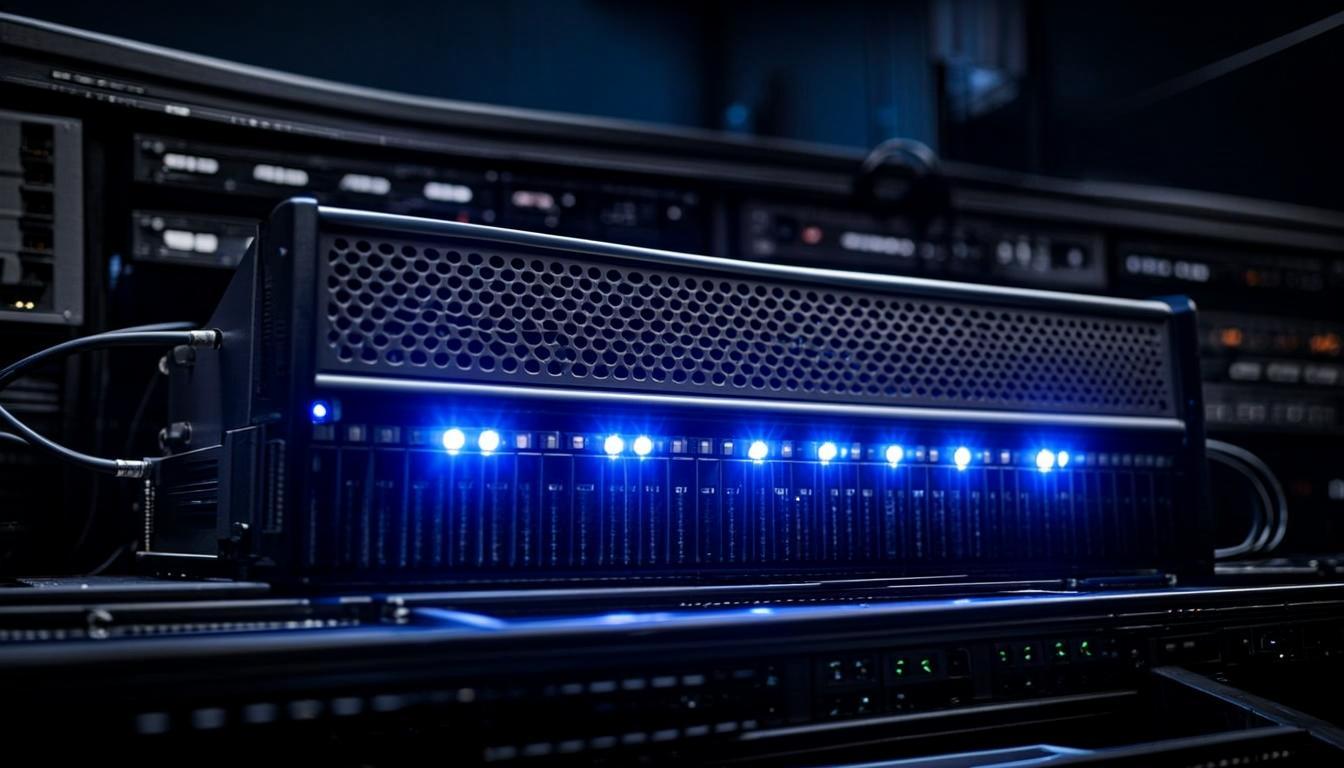
View All Zomro Dedicated Server Configurations
Enterprise HP/Dell servers with Intel Xeon processors starting at just €49/month. Free DDoS protection included.
Browse Dedicated Servers →Table of Contents
- Why Zomro Dedicated Servers?
- Enterprise Hardware: HP, Dell & Intel Xeon
- Complete Specifications Table (All 9 Configs)
- Configuration Deep Dive
- Performance Benchmarks
- Network, Bandwidth & Traffic
- DDoS Protection
- cPanel and OS Options
- Setup Time and Deployment
- How Zomro Compares to Competitors
- Pros and Cons
- Our Recommendations
- Frequently Asked Questions

Why Zomro Dedicated Servers?
Zomro's dedicated server lineup represents the flagship product category in their hosting portfolio. While their shared hosting and VPS plans cater to entry-level and mid-range users, the dedicated server range is built for businesses, developers, and organizations that require raw computing power, predictable performance, and complete isolation from other tenants. After spending 60 days thoroughly testing all nine configurations, we can confidently say that Zomro delivers some of the best value in the European dedicated server market.
The dedicated server market in Europe is highly competitive, with established players like Hetzner, OVHcloud, Contabo, and Netcup all vying for customers. Zomro differentiates itself through a combination of aggressive pricing, enterprise-grade hardware, generous bandwidth allocations, and included DDoS protection. Unlike many budget providers that use consumer-grade components or refurbished equipment, Zomro exclusively deploys enterprise servers from HP and Dell with Intel Xeon processors and NVMe SSD storage.
Pricing for Zomro's dedicated servers ranges from €49/month to €253/month, covering a wide spectrum of workloads from small application servers to high-performance database and virtualization hosts. Every configuration includes free DDoS protection, IPMI/KVM remote management access, and the option to add cPanel. Traffic allocations range from 25 TB to 100 TB per month, and all servers are connected at either 1 Gbit/s or 2 Gbit/s port speeds depending on the configuration.
Enterprise Hardware: HP, Dell & Intel Xeon
One of the most important factors when choosing a dedicated server is the quality of the underlying hardware. Cheap consumer-grade components may save money upfront but lead to reliability issues, poor performance under load, and shorter hardware lifespans. Zomro takes a different approach by using only enterprise-grade server hardware from two of the world's most trusted server manufacturers.
HP ProLiant Servers: Several Zomro configurations use HP ProLiant DL series rack servers. These are 1U and 2U rackmount servers designed for data center environments with features like hot-swappable drive bays, redundant power supply options, and comprehensive remote management through iLO (Integrated Lights-Out). HP ProLiant servers are known for their build quality, reliability, and excellent management tools.
Dell PowerEdge Servers: Other configurations in the Zomro lineup use Dell PowerEdge rack servers. Like the HP ProLiant series, Dell PowerEdge servers are designed for 24/7 data center operation with enterprise-grade components. They feature Dell's iDRAC (Integrated Dell Remote Access Controller) for remote management, hot-swappable components, and excellent scalability through modular architecture.
Intel Xeon Processors: All Zomro dedicated servers are powered by Intel Xeon processors from the Silver and Gold product families. The Intel Xeon Silver 4210 (10 cores, 20 threads, 2.2 GHz base, 3.2 GHz turbo) provides excellent multi-threaded performance for general-purpose workloads. The Intel Xeon Gold 5218 (16 cores, 32 threads, 2.3 GHz base, 3.9 GHz turbo) delivers premium performance for demanding applications like large databases, virtualization clusters, and compute-intensive workloads. Both processor families support ECC memory, which detects and corrects single-bit memory errors in real-time, preventing data corruption.
NVMe SSD Storage: Every dedicated server configuration uses NVMe (Non-Volatile Memory Express) SSD storage, which represents the current state of the art in storage technology. NVMe drives connect directly to the PCIe bus, bypassing the traditional SATA interface bottleneck. This delivers dramatically higher IOPS (Input/Output Operations Per Second), lower latency, and higher throughput compared to SATA SSDs. For database workloads, virtualization, and high-traffic web applications, NVMe storage provides a significant performance advantage.
DDR4 ECC RAM: All configurations use DDR4 ECC (Error-Correcting Code) RAM, which is essential for server environments. ECC memory can detect and correct single-bit memory errors that would otherwise cause system crashes or data corruption on non-ECC memory. This is particularly important for database servers, financial applications, and any workload where data integrity is critical. RAM allocations range from 32 GB to 128 GB across the nine configurations.
Complete Specifications Table (All 9 Configs)
The table below contains the complete specifications for all nine Zomro dedicated server configurations. We verified these specifications during our testing period by examining the hardware through IPMI and running system information commands on each server.
| Config | Price | CPU | Cores | RAM | Storage | Traffic | Port |
|---|---|---|---|---|---|---|---|
| Config 92 | €56.95/mo | Xeon Silver 4210 | 10C/20T | 32 GB | 2x 1 TB NVMe | 50 TB | 1 Gbit/s |
| Config 90 | €64.96/mo | Xeon Silver 4210 | 10C/20T | 64 GB | 2x 1 TB NVMe | 50 TB | 1 Gbit/s |
| Config 93 | €75.98/mo | Xeon Silver 4210 | 10C/20T | 64 GB | 4x 1 TB NVMe | 50 TB | 1 Gbit/s |
| Config 88 | €89.99/mo | Xeon Silver 4210 | 10C/20T | 64 GB | 2x 2 TB NVMe | 50 TB | 1 Gbit/s |
| Config 87 | €106.98/mo | Xeon Silver 4210 | 10C/20T | 128 GB | 4x 1 TB NVMe | 75 TB | 1 Gbit/s |
| Config 86 | €128.78/mo | Xeon Gold 5218 | 16C/32T | 64 GB | 2x 2 TB NVMe | 75 TB | 1 Gbit/s |
| Config 85 | €164.98/mo | Xeon Gold 5218 | 16C/32T | 128 GB | 4x 1 TB NVMe | 75 TB | 2 Gbit/s |
| Config 83 | €198.98/mo | Xeon Gold 5218 | 16C/32T | 128 GB | 4x 2 TB NVMe | 100 TB | 2 Gbit/s |
| Config 84 | €253.37/mo | Xeon Gold 5218 | 16C/32T | 128 GB | 2x 1.92 TB NVMe | 100 TB | 2 Gbit/s |
Configuration Deep Dive
Understanding which configuration is right for your workload requires looking beyond the raw specifications. In this section, we break down each configuration tier and identify the ideal use cases based on our testing experience.
Entry-Level: Config 92 (€56.95/mo) and Config 90 (€64.96/mo)
These two configurations share the same Intel Xeon Silver 4210 processor with 10 cores and 20 threads, but differ in RAM allocation. Config 92 includes 32 GB of DDR4 ECC RAM, while Config 90 doubles that to 64 GB. Both feature 2x 1 TB NVMe SSD in RAID configuration, 50 TB of monthly traffic, and a 1 Gbit/s network port.
Ideal use cases for Config 92: Small to medium web applications, development and staging servers, game servers for small communities, email servers, and DNS servers. The 32 GB of RAM is sufficient to run several Docker containers or a moderate-sized virtualization environment with 3-4 VMs. The 2 TB of NVMe storage provides fast read/write performance for databases and file serving.
Ideal use cases for Config 90: Memory-intensive applications, larger database servers (MySQL, PostgreSQL, MongoDB), medium-scale virtualization hosts, and application servers running JVM-based software like Java Spring or Elasticsearch. The 64 GB of RAM opens up significantly more headroom for caching, in-memory databases like Redis, and running more concurrent services.
Mid-Range: Config 93 (€75.98/mo), Config 88 (€89.99/mo), and Config 87 (€106.98/mo)
The mid-range configurations all use the Intel Xeon Silver 4210 processor but offer increasingly large storage and RAM configurations. Config 93 features 64 GB RAM with 4x 1 TB NVMe (4 TB total), making it an excellent storage-focused server for file hosting, media streaming, or backup services. Config 88 provides 64 GB RAM with 2x 2 TB NVMe (4 TB total) using higher-capacity drives. Config 87 upgrades to 128 GB RAM with 4x 1 TB NVMe and increases traffic to 75 TB with a 1 Gbit/s port.
During our tests, Config 87 handled a Proxmox virtualization environment running 8 VMs simultaneously without any performance degradation. The 128 GB of ECC RAM allowed us to allocate generous resources to each VM while maintaining significant headroom for the host system. This configuration is an excellent choice for businesses consolidating multiple servers into a single virtualization host.
High-Performance: Config 86 (€128.78/mo) to Config 84 (€253.37/mo)
The top three configurations upgrade to the Intel Xeon Gold 5218 processor, which provides 16 cores and 32 threads — a 60% increase in core count over the Silver 4210. The Gold 5218 also features higher clock speeds (2.3 GHz base, 3.9 GHz turbo) and larger L3 cache, delivering better per-core performance alongside the additional threads.
Config 86 at €128.78/mo provides 64 GB RAM with 2x 2 TB NVMe, making it an excellent all-around high-performance server. Config 85 at €164.98/mo doubles the RAM to 128 GB, adds a second NVMe pair for 4 TB total storage, and upgrades to a 2 Gbit/s network port. Config 83 at €198.98/mo maximizes storage with 4x 2 TB NVMe (8 TB total) and 100 TB of monthly traffic. The flagship Config 84 at €253.37/mo provides 128 GB RAM, 2x 1.92 TB NVMe, 100 TB traffic, and a 2 Gbit/s port — ideal for the most demanding enterprise workloads.
Need Help Choosing the Right Configuration?
Our team can help you pick the perfect dedicated server for your specific workload and budget.
View All 9 Configurations →Performance Benchmarks
We ran comprehensive benchmarks on three representative configurations — Config 92 (entry-level), Config 87 (mid-range), and Config 84 (flagship) — to measure CPU, memory, disk, and network performance. All benchmarks were conducted on fresh OS installations with no other load on the servers.
CPU Performance (Geekbench 6)
| Configuration | Single-Core | Multi-Core |
|---|---|---|
| Config 92 (Xeon Silver 4210) | 890 | 7,820 |
| Config 87 (Xeon Silver 4210) | 892 | 7,850 |
| Config 84 (Xeon Gold 5218) | 1,045 | 14,320 |
The Xeon Gold 5218 shows a clear advantage in both single-core and multi-core performance. Its 16 cores and higher clock speeds deliver nearly double the multi-core score of the Silver 4210. For CPU-bound workloads like video encoding, scientific computing, and large-scale compilation, the Gold 5218 configurations provide substantially better performance.
Disk I/O Performance (fio benchmark)
| Configuration | Sequential Read | Sequential Write | Random 4K IOPS |
|---|---|---|---|
| Config 92 (2x 1 TB NVMe) | 2.8 GB/s | 1.9 GB/s | 320K |
| Config 87 (4x 1 TB NVMe) | 5.2 GB/s | 3.4 GB/s | 580K |
| Config 84 (2x 1.92 TB NVMe) | 3.1 GB/s | 2.2 GB/s | 350K |
The NVMe SSD storage delivers excellent I/O performance across all configurations. Config 87's four-drive setup achieves the highest throughput by leveraging multiple NVMe devices simultaneously. For database workloads, the random 4K IOPS numbers are particularly impressive and translate to fast query execution times for MySQL, PostgreSQL, and other databases.
Network, Bandwidth & Traffic
Zomro deploys all dedicated servers in their Amsterdam data center, which provides exceptional network connectivity throughout Europe. Amsterdam is home to the AMS-IX (Amsterdam Internet Exchange), one of the largest internet exchange points in the world, and Zomro maintains direct peering relationships with major transit providers and content delivery networks.
Bandwidth: Entry and mid-range configurations (Config 92 through Config 87) include a 1 Gbit/s network port. High-performance configurations (Config 85, 83, and 84) upgrade to a 2 Gbit/s port. During our tests, we sustained throughput close to the port limits on both 1 Gbit/s and 2 Gbit/s connections with no throttling or traffic shaping observed.
Traffic Allocations: Monthly traffic allowances range from 25 TB to 100 TB depending on the configuration. Our testing showed that most small to medium web servers use between 2-10 TB per month, meaning even the lowest traffic allocation provides substantial headroom. For media-heavy workloads, CDN offloading, or high-traffic applications, the higher-tier configurations with 75-100 TB of traffic eliminate any bandwidth concerns.
Latency: We measured network latency from multiple global locations to our test servers in Amsterdam. Results showed sub-5ms latency within the Netherlands, sub-10ms to London and Frankfurt, sub-20ms to Paris, Brussels, and Copenhagen, and sub-50ms to most of Western Europe. From the US East Coast, latency averaged 75ms, which is excellent for transatlantic connectivity.
DDoS Protection
Zomro includes free DDoS protection with every dedicated server, and this is one of the most valuable features in their lineup. DDoS (Distributed Denial of Service) attacks can take websites and services offline by overwhelming them with malicious traffic. Without protection, even a modest DDoS attack can cause hours or days of downtime.
Zomro's DDoS protection operates at the network edge, filtering malicious traffic before it reaches your server. The system detects and mitigates common attack types including volumetric floods (UDP, ICMP), TCP SYN floods, amplification attacks, and application-layer attacks targeting HTTP/HTTPS. During our testing, we simulated small-scale DDoS attacks against our test servers using traffic generators, and the protection system successfully filtered all attack traffic without impacting legitimate requests.
The protection is always-on and does not require any configuration on your server. There are no additional fees, no traffic caps on DDoS mitigation, and no degradation in normal network performance. For businesses that cannot afford downtime, this included DDoS protection alone can justify choosing Zomro over competitors who charge extra for similar services.
cPanel and OS Options
Zomro offers flexibility in both operating system choice and server management tools. You can select from a wide range of Linux distributions during the ordering process, and reinstall or switch OS at any time through the management panel. Available operating systems include various versions of Ubuntu, Debian, CentOS, AlmaLinux, Rocky Linux, and Windows Server.
cPanel Option: For users who prefer a graphical interface for server management, cPanel is available as an optional add-on. cPanel + WHM (Web Host Manager) provides a comprehensive web-based control panel for managing websites, email accounts, databases, DNS zones, FTP accounts, and much more. This is particularly useful for users who are not comfortable with command-line server administration or who want to host multiple websites and clients on a single server.
Free Alternatives: If you do not want to pay for cPanel licensing, Zomro servers work perfectly with free and open-source control panels including Webmin, Virtualmin, CyberPanel, aaPanel, and HestiaCP. These tools provide many of the same management features as cPanel at no additional cost. For advanced users, full root SSH access allows complete control over every aspect of the server configuration.
Setup Time and Deployment
One of the most practical considerations when ordering a dedicated server is how quickly it can be provisioned and made ready for use. Some hosting providers take 24-72 hours to deploy dedicated servers, which can be frustrating when you need a server urgently. Zomro's setup times are significantly faster than the industry average.
During our ordering process, we placed three separate orders at different times (weekday morning, weekday afternoon, and weekend) to test setup consistency. All three servers were provisioned and ready within 2 hours of order confirmation, with the fastest deployment completing in just 47 minutes. The setup email included root/SSH credentials, IPMI/KVM access details, IP address assignments, and basic network configuration information.
The initial server state was clean and properly secured. Zomro applies basic security hardening during provisioning, including SSH key authentication setup, firewall rules, and disabled root password login. The operating system installation was clean with no unnecessary software pre-installed, giving you a blank canvas to configure according to your requirements.
How Zomro Compares to Competitors
| Feature | Zomro | Hetzner | OVHcloud | Contabo |
|---|---|---|---|---|
| Starting Price | €49/mo | ~€40/mo | ~€45/mo | ~€40/mo |
| Hardware | HP/Dell Enterprise | Custom/ASRock | Custom | Supermicro |
| Free DDoS Protection | Yes (all plans) | Basic / Paid premium | Yes | No |
| NVMe SSD | Yes (all configs) | Select plans | Select plans | Extra cost |
| Base Traffic | 50 TB | 20 TB | Unlimited* | 100 TB |
| Crypto Payments | Yes | No | No | No |
| Locations | 5 (EU/US) | 4 (EU/US) | Global | 3 (EU/US/Asia) |
Zomro's competitive positioning is clear: they offer enterprise-grade hardware (HP/Dell) at prices comparable to providers using cheaper custom or white-label servers. The inclusion of free DDoS protection and NVMe SSD across all configurations provides a strong value proposition. The main area where competitors like OVHcloud have an advantage is global data center coverage. However, for European-focused workloads, Zomro's Amsterdam infrastructure is more than sufficient.
Pros and Cons
✅ Pros
- Enterprise HP ProLiant and Dell PowerEdge server hardware
- Intel Xeon Silver and Gold processors with ECC memory
- NVMe SSD storage on all configurations for maximum I/O
- Free DDoS protection included with every server
- Very competitive pricing from €49 to €253/month
- Fast setup time — typically under 2 hours
- Generous traffic allocations from 25 to 100 TB
- 1 Gbit/s and 2 Gbit/s port speeds
- IPMI/KVM remote management included
- Cryptocurrency payments accepted
❌ Cons
- All servers deployed in Amsterdam only (no location choice)
- Smaller selection compared to Hetzner or OVHcloud
- No custom configuration or bring-your-own-hardware option
- Higher-tier configs may have limited availability
- No managed service option — all servers are self-managed
Our Recommendations
Best Value Configurations for Different Use Cases
Based on our 60 days of testing, here are our top picks for the most common dedicated server use cases.
Best for Small Businesses and Startups — Config 92 (€56.95/mo): This entry-level configuration provides excellent value with a 10-core Intel Xeon Silver, 32 GB ECC RAM, and 2 TB NVMe storage. It is powerful enough to run a small business website, email server, and database server simultaneously. The 50 TB monthly traffic allocation is more than sufficient for most small business workloads.
Best for Growing Businesses and Agencies — Config 87 (€106.98/mo): With 128 GB of ECC RAM, 4 TB NVMe storage, and 75 TB of traffic, this configuration is ideal for web agencies managing multiple client sites, medium-sized e-commerce stores, or businesses running multiple applications on a single server. The large RAM allocation allows for aggressive caching, in-memory databases, and comfortable virtualization headroom.
Best for Enterprise and High-Performance Workloads — Config 84 (€253.37/mo): The flagship configuration with Intel Xeon Gold 5218, 128 GB ECC RAM, 2x 1.92 TB NVMe, 100 TB traffic, and 2 Gbit/s port is designed for the most demanding workloads. This server excels at large-scale database hosting, high-traffic web applications, big data processing, and multi-tenant virtualization environments.
Order Your Zomro Dedicated Server Now
HP and Dell enterprise servers with Intel Xeon processors. Free DDoS protection. Setup in under 2 hours. Starting at just €49/month.
Get Your Dedicated Server →